Fresh, verified leads, in your reps' hands in minutes.
Leads come in every morning. One person buys, one hands them out, and each rep works only their own, from the browser. Live on day one.
Leads go cold while reps figure out the software.
Someone shopping today is worth the most in the first few minutes. Most get a first call hours later, if at all.
Reps get a full CRM when they need four buttons: call, text, email, and what happened.
Exclusive internet leads cost far more than they need to, and nobody can see who spent what or what it bought.
One morning, four moves.
Every lead comes with the life event and the date. Licensed states and each rep's limit are respected automatically, and anything nobody reaches can be moved to someone who will.
Three levels. Each sees only their own job.
Buys the leads and pays the bills.
- Sees each morning's batch and the price
- Funds wallets, saves a card, sets auto refill
- Sees everything below
Runs the team and the numbers.
- Adds reps one at a time or from a file
- Hands out leads in one button
- Sees speed, results and spend for every rep
Works their own leads. Nothing else to learn.
- Call, text and email one person or many
- Marks what happened
- Sees their own wallet and numbers
Super Admins can do everything an Admin does, and Admins everything a rep does. Anyone can switch to working leads too.
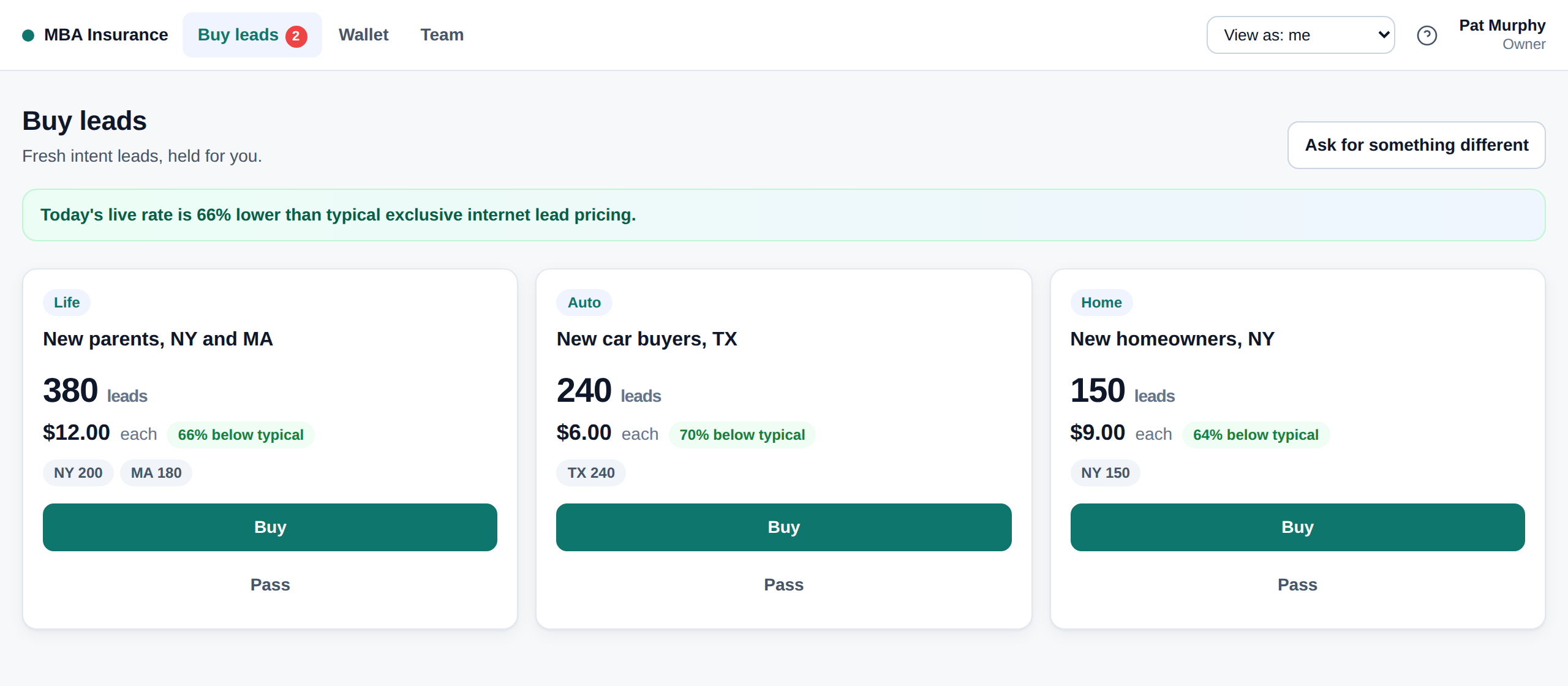
Buy the morning's leads in one click.
- Each batch shows how many, the price per lead, and how far below typical pricing it is
- Preview with details hidden, then buy all, some by state or event, or pass. Passing costs nothing
- Bad number or email? Credited back automatically
Today's live rate is 66% lower than typical exclusive internet lead pricing.
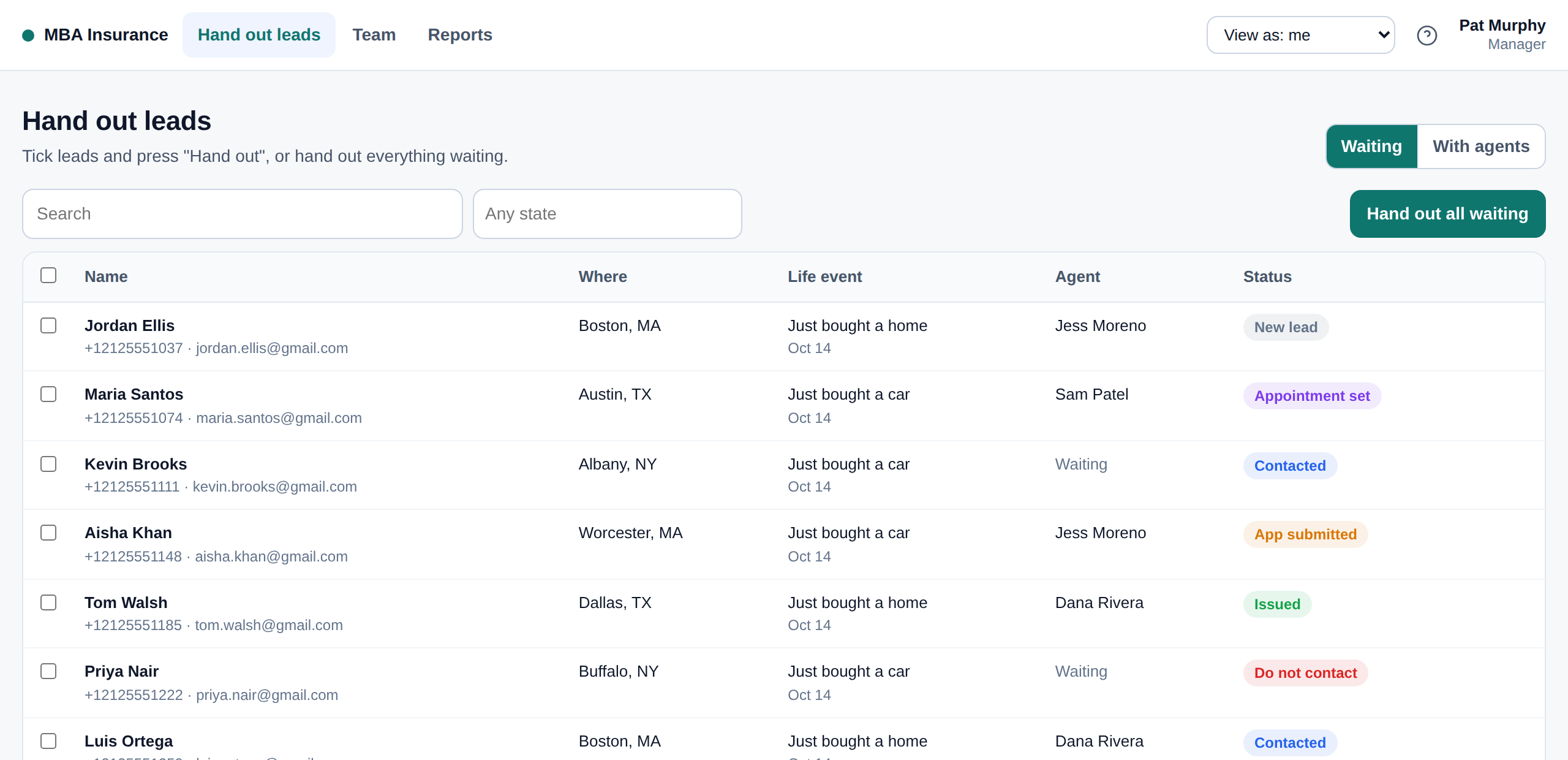
Hand out in one button. See who is fastest.
- "Hand Out All Waiting" gives every rep their share, only in states they are licensed for, up to their limit
- First contact time, reach rate, appointments and apps for each rep
- Move anything nobody has reached, and send coaching notes
Four buttons in the browser. That is the whole job.
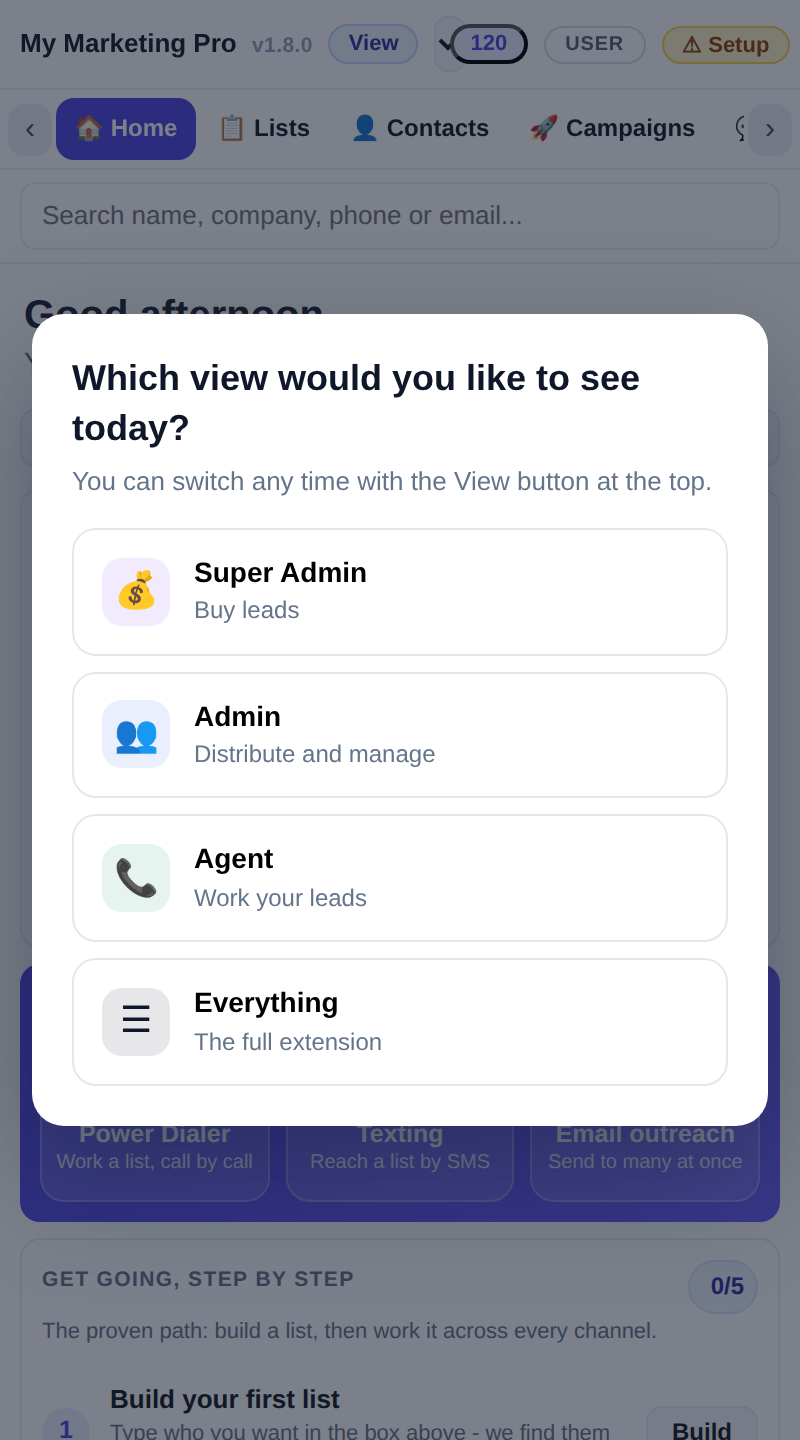
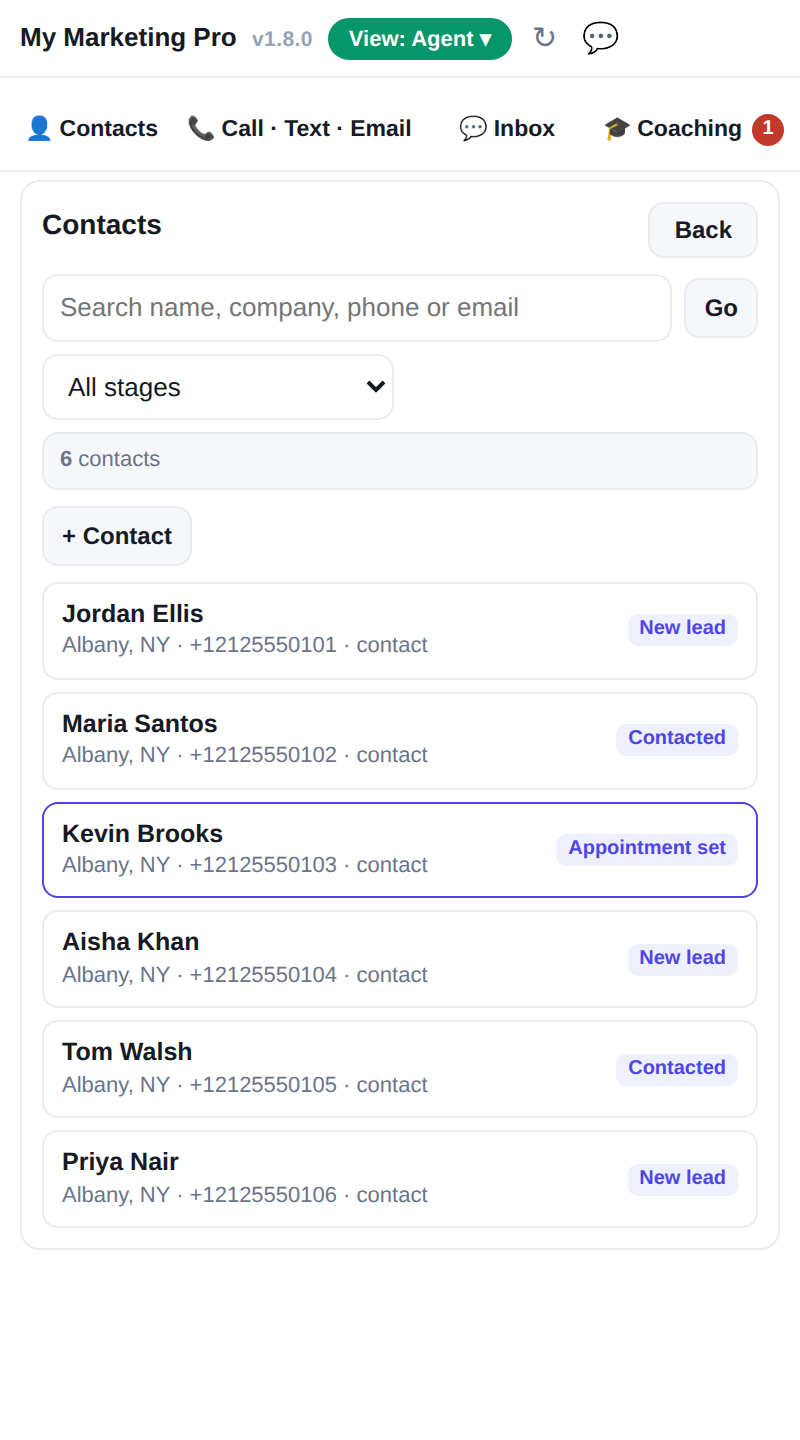
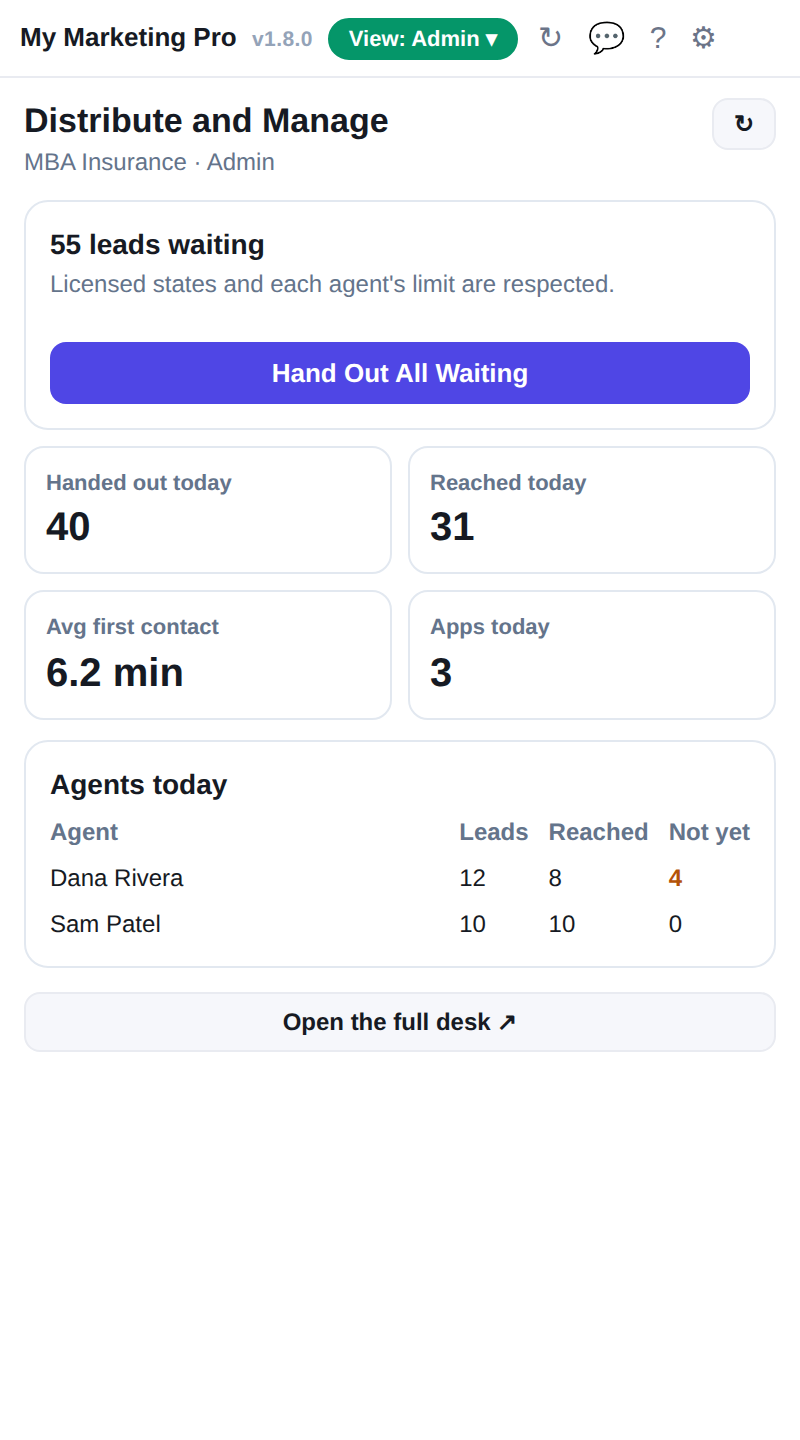
The Chrome extension asks which view you want, then shows only that: the leads, call, text and email (one or many), replies and coaching.
Add one in a minute, or a hundred from a spreadsheet.
- Add one: name, email and mobile, level, states and limit, what they are good at, a starting allowance
- Import a file: CSV or Excel. We match the columns and show who will be added, updated or skipped before anything happens
- Invites: each rep gets a link by email or text to set their own password. Nobody is ever sent a password
- Change many at once: resend invites, states, limits, allowances, pause
| Name | Level | States | What happens |
|---|---|---|---|
| Jane Ortiz | Rep | NY, NJ | Add |
| Sam Lee | Rep | NY | Add |
| Dana Whitfield | Admin | NJ | Update |
| Line 41 | Rep | CT | Skip no email |
Who signed in, who is calling, what came of it.
- One list of everyone: invite status, leads held and not yet reached, balance, spend
- Click anyone for their activity: leads given, reached, speed to first touch, appointments, apps, texts, emails, calls
- A timeline of everything they did, and everything done for them
- Search, filter, sort, pick your columns, export, share
- Appointment set: Sam Okafor 2 hr ago
- 31 texts, 9 emails Yesterday
- Auto refill $100 Yesterday
Every dollar visible. Nobody stops calling for a top up.
- One wallet for the desk, one per team, one per rep. Give allowances in one step
- Save a card and set auto refill: when a wallet drops below an amount, add an amount, with a monthly limit
- Spending by person and by wallet, by the hour or the day: leads, texts, emails, calls
- Reps can pay their own way too, if you allow it
| Wallet | Balance | Auto refill |
|---|---|---|
| My Marketing Pro account | $1,840.50 | On below $250, add $1,000 |
| East team | $120.00 | Off |
| Jane Ortiz | $114.20 | On below $25, add $100 |
| Leo Grant | $8.40 | Low |
Your website tells your story. The desk works the leads.
Your website and its admin: content and information.
- Pages, wording, pictures and legal pages
- Quote requests and client accounts from the site
- Who on your staff can edit the site
The Rep Desk: where the selling happens.
- Buying, handing out and working leads
- Calls, texts, emails and outcomes, and coaching
- Your reps, their numbers, wallets and spending
They are kept apart so whoever edits the website never has to wade through leads, and reps never land in the website's settings. Website requests still flow into the desk, and one sign in works on both.
The desk in your pocket, in about a minute.
- Open reps.mymarketingpro.com/m on your phone, or scan the code
- iPhone: tap the Share button, then "Add to Home Screen"
- Android: tap the menu, then "Install app" (or "Add to Home screen")
- Open it from the home screen, sign in once, and turn on alerts for new leads, texts and calls
Any team that buys leads and has to reach them fast.
New babies, new cars and new homes, the moments people shop for coverage.
People facing back taxes or new tax liens who need help now.
Likely sellers, recent movers and first time buyers.
New buyers and homeowners shopping for a better rate.
New homeowners and recent movers making upgrades.
People shopping for a car right now.
New parents, new homeowners and people nearing retirement.
Any team that buys leads and calls, texts and emails them.
Simple to start. Pay for what you use.
per person, per month. The desk, the Chrome extension, reports and coaching.
Calls $0.035 a minute
Texts $0.029 each
Emails $0.0015 each
Verified intent leads from $6.00. Bigger orders cost less.
Today's live rate is 66% lower than typical exclusive internet lead pricing.
Sign up in the morning. Work leads that afternoon.
We set it up at your own address, with your name and logo.
Add them one at a time or import a file. Invites go out by email and text.
Everyone installs it and presses "Connect automatically".
Buy the day's leads, hand them out, and start calling.
Training is optional: at most five days, ten minutes a day, whenever it suits you.
Get going today.
Request access and we set your desk up the same day.
Request AccessOne SheetTraining
reps.mymarketingpro.com. Powered by My Marketing Pro Inc.
Your day on the desk.
Short and practical: what to press, in what order, every day. About ten minutes.
Goal: every new lead called within 5 minutes
Do this, plus this, plus this. Every day.
- Call every new one, top down
- No answer? Text, then email, right away
- Answer "Waiting on you" first
- Book times with your link
- "Calendar": today's follow ups
- Second call to yesterday's not reached
- Every lead has an outcome
- Every open lead has a follow up
New leads arrive as cards. Start at the top.
Website: MBA Insure Intent 82
- Orange means not reached yet, with how long ago it came in.
- Call rings right in the browser from your number.
- Script writes what to say for this person.
- Source shows where it came from.
- Click the card for everything else.
Press Call. Talk. Pick what happened.
- Your microphone, your number. Nothing to dial.
- After the call, tap what happened and when to follow up. Done.
- Calls are recorded where your desk allows, and show in the lead's history.
No answer? Text, then email. Thirty seconds.
- The top line always shows who you are sending as.
- Attach files, add Cc or Bcc, send yourself a test.
- Texts come from your number; replies come back to your "Inbox".
- Ticked a few on "List"? Text or email them all at once.
Replies land here. Answer "Waiting on you" first.
- Larrya Smith Thanks! Can you call after 5? 1 new
- Jacob Jones You: Following up, Jacob 5 hr
- Dee K. Yes, Tuesday works 1 new
- Every text and email with your leads, both ways.
- Reply in place, call, or open the lead.
- Leave with it empty.
Drag a card to where it stands.
Outcomes feed the reports your team sees, so keep them current.
Send your booking link. Follow ups find you.
Set it up once ("Calendar", then "Set Up or Open My Calendar"): connect Google or Outlook, set your hours. Send the link in any text or email; they pick a time and both of you get the invite.
Every follow up you set after a call shows on "Calendar" by day. Click one to open the lead and go.
Bring your own leads in.
"My Page": your photo, states and booking link at your own address. Anyone who fills it in is yours.
Facebook forms, your website, anywhere: they land in "My Leads" with the source on them.
The phone app and the Chrome extension: call, text and get alerts anywhere.
Your daily checklist.
- ✓Call every new lead within 5 minutes
- ✓No answer: text, then email
- ✓Clear "Inbox" every hour
- ✓Work today's follow ups on "Calendar"
- ✓Every lead has an outcome
- ✓Every open lead has a follow up
One page with this checklist and the buttons you use most.
Keep every rep moving.
Hand out leads, watch speed, coach, and clear what is stuck.
Do this, plus this, plus this.
- "Hand Out Leads": one button, or pick who
- Check nobody is over their limit
- "Reports": who has not reached theirs
- Nudge, or move leads to someone free
- "Calls": listen, read the AI review
- One thing to work on, per person
- "Inbox": anything waiting on the team
- Ask for more leads if you are short
One button, or choose who gets what.
| Lead | State | Goes to |
|---|---|---|
| Jennifer C. | TN | Maria L. |
| Walter S. | FL | Joe E. |
| Dee K. | NY | Justin M. |
- Leads only go to people licensed in that state, under their limit.
- Start a lead flow as you hand out, so texts and emails go out on their own.
- Every lead you can see, you can call, text or email yourself.
Add, set up and back up your people.
One at a time, or a spreadsheet of hundreds.
States, limits, a phone number, their level.
"Preview a person" shows the desk exactly as they see it.
Fix something for them, then come back.
Who is fastest, who is converting, what to fix.
| Source | Quality |
|---|---|
| Website | 40 |
| Intent leads | 21 |
- Speed and outcomes per person, every day.
- Which lead sources turn into apps.
- "AI Read on These Calls": strengths, fixes and a practice drill.
Your daily checklist.
- ✓Hand out every new lead in the morning
- ✓Nobody has a lead unreached past an hour
- ✓Listen to two calls; one note per person
- ✓"Inbox": nothing waiting on the team
- ✓Ask for leads or marketing before you run out
Set the desk up once. Keep it fed.
Day one setup, then a few minutes a day and a short weekly check.
Set up in this order.
"Team": import your people, set levels, states and limits.
Everyone gets a number; everyone connects their mailbox.
Save a card, add funds, turn on auto refill.
Forms, website, agent pages, and who can do what.
Do this, plus this, plus this.
- "Buy Leads": preview, then buy
- Or set it to buy for you
- The daily report: who has not been on
- Move leads if someone is out
- Numbers, marketing and lead requests
- Approve or ask us
- "Spending": wallets and auto refill
- "Reports": which sources pay off
Preview, buy, and they are handed out.
- Buy from the wallet, by card, or with a promo code.
- "Not interested" tells us why, so the next batch fits.
- "Ask for something different": other states, lines or life events.
Never run dry, never overspend.
Below a line, top up, or on a schedule. Monthly and weekly limits. Pick the card.
One for the desk, or one per team or person. Every dollar shows who spent it on what.
Seats and phone numbers bill monthly from the wallet, with an email before anything runs short.
Decide who can do what.
Make anyone a Rep, Admin or Super Admin, right in "Edit".
Who can ask for marketing, add lead sources, or have their own page.
Call them Brokers, Agents or Reps; the whole desk follows.
Your checklist.
- ✓Leads bought (or auto buy on) every morning
- ✓Daily report read: speed and who was not on
- ✓Requests answered
- ✓Weekly: wallets, auto refill and cards current
- ✓Weekly: drop sources that do not convert